Troubleshooting Reports
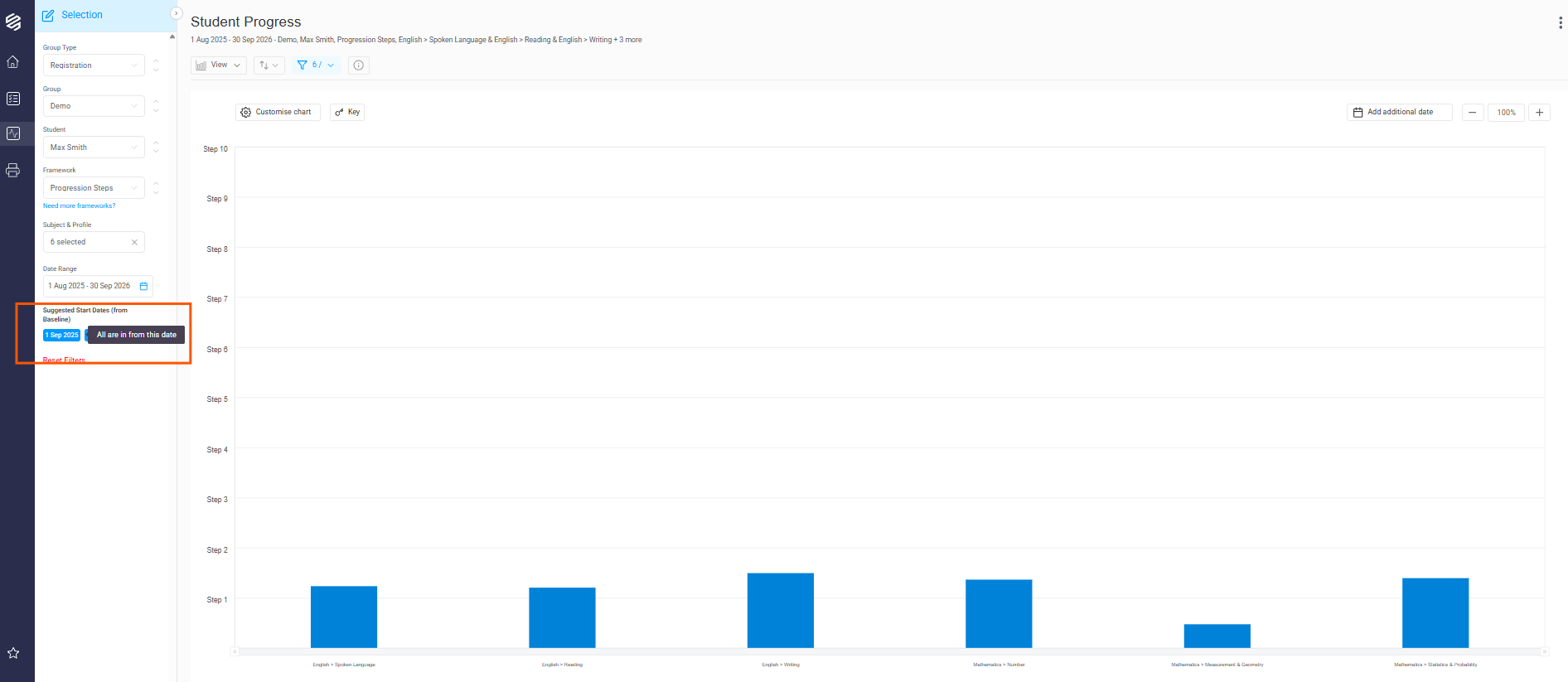
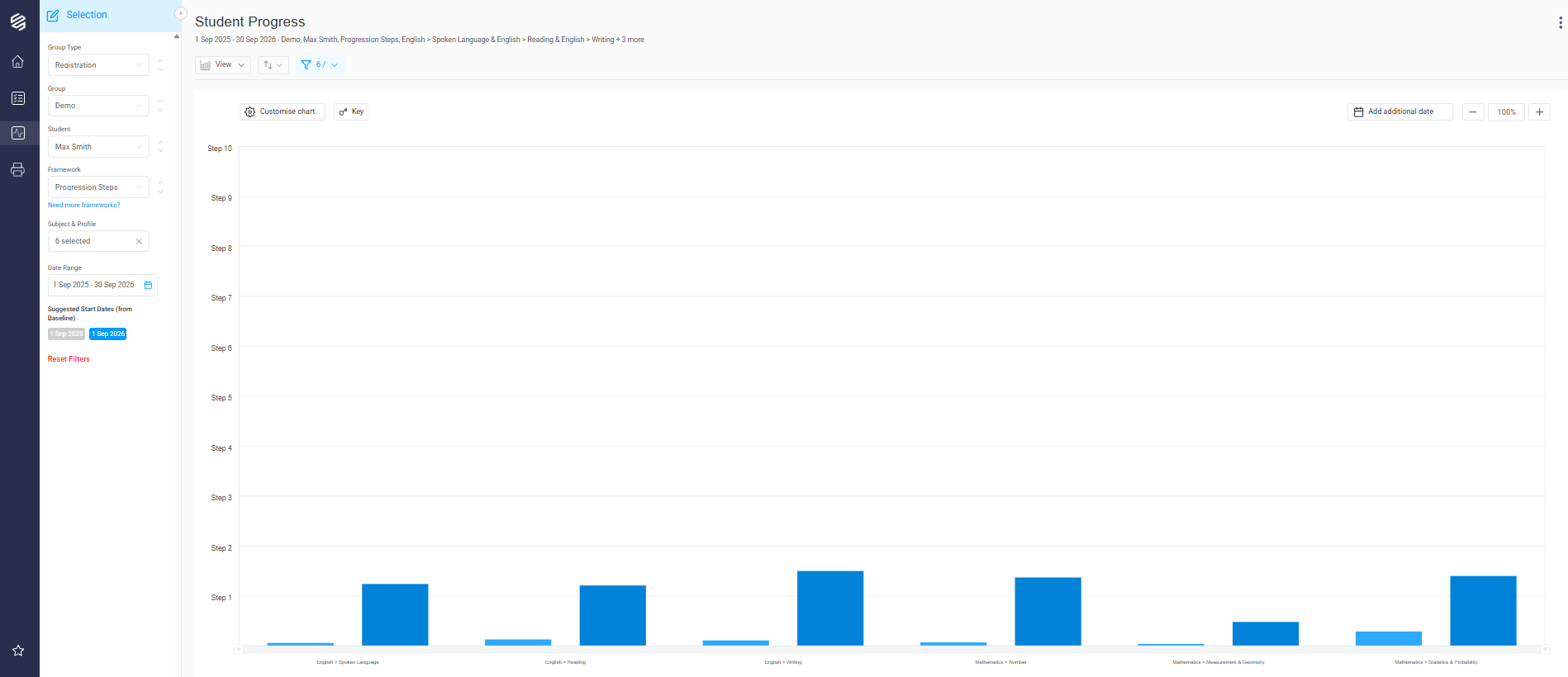
For data to appear in a report, the student must have been baselined by the start date of the report. For example, if I run a student report from 1 September 2025 until 1 July 2026, but my student was not baselined for a subject/profile until 15 September 2025, the data for that subject/profile will not appear.
To check a student's baseline date, you can use the Student Level Summary screen. This screen displays all subjects and profiles for the chosen framework. The green B for each subject/profile indicates the level where the Baseline was set. If you hover over the green B, you can see the date at which the baseline was set.
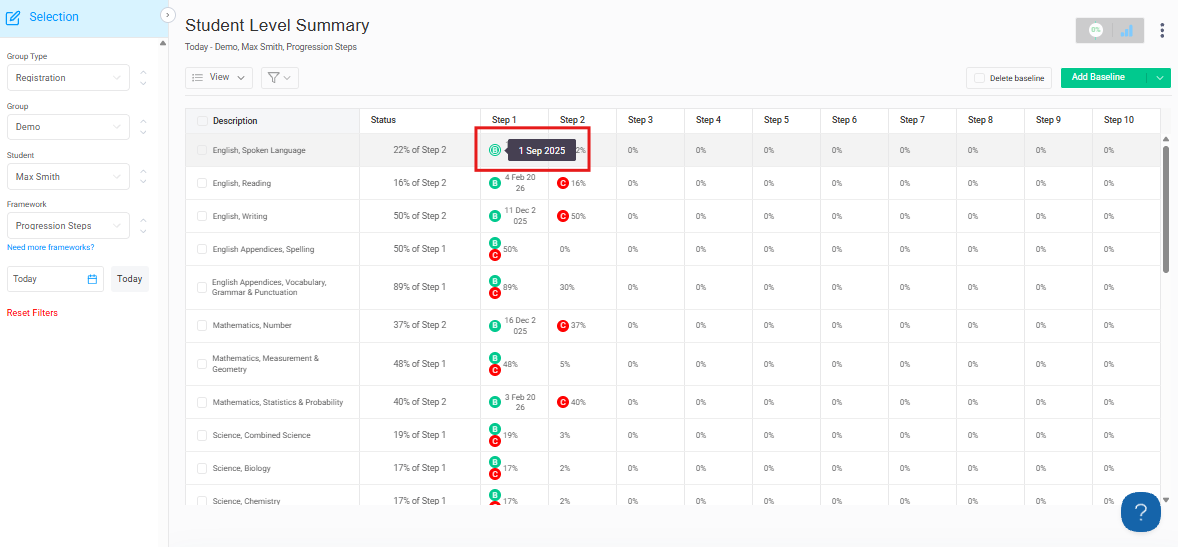
The red C for each subject/profile indicates the Current Level that the student is working on.
When running a report, the system suggests start dates for the date range based on the student's baseline dates. Click on a Suggested Start Date to see more data included in the report.